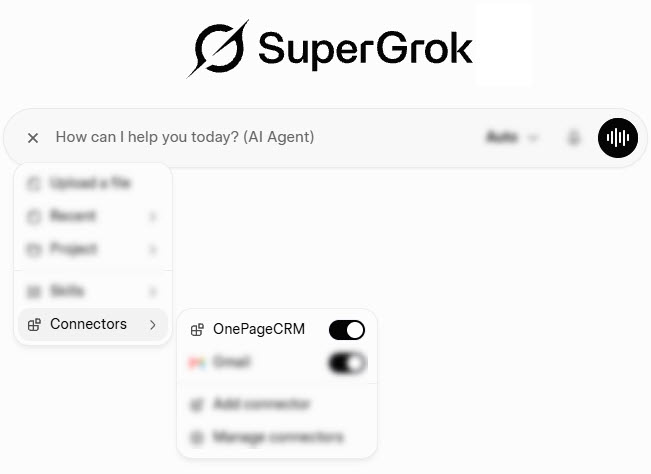
Grok AI Integration (OnePageCRM MCP)
It only takes about five minutes to set up Grok as your AI sales assistant.
You'll need SuperGrok Lite or higher, since connectors aren't available on Grok's free plan. You'll also need an active OnePageCRM account. Any plan will do, even the free trial.
- You need a paid Grok account to connect it to OnePageCRM.
- You need an active OnePageCRM account.
1
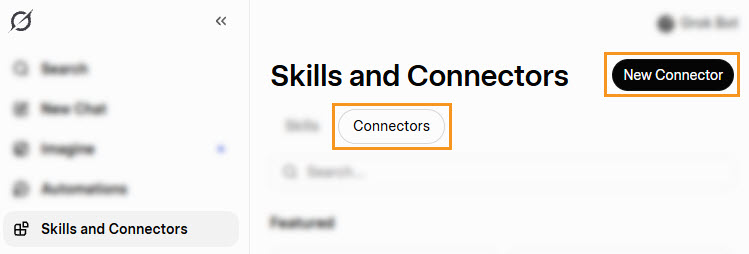
On Grok's main screen, go to Skills and Connectors → Connectors → New Connector.
2
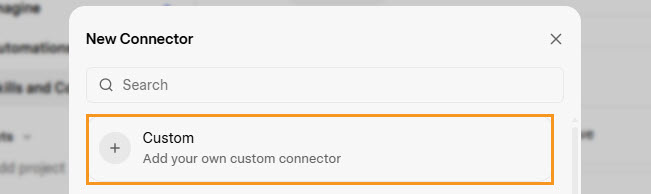
Grok will ask what kind of connector you're adding. Choose Custom, since OnePageCRM connects through its own MCP.
3
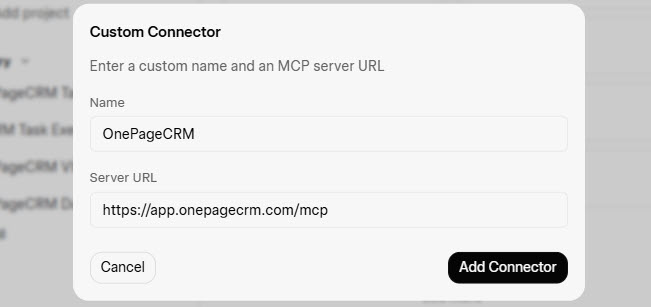
Fill in the details and click Add Connector.
Name - OnePageCRM
Server URL - https://app.onepagecrm.com/mcp
4
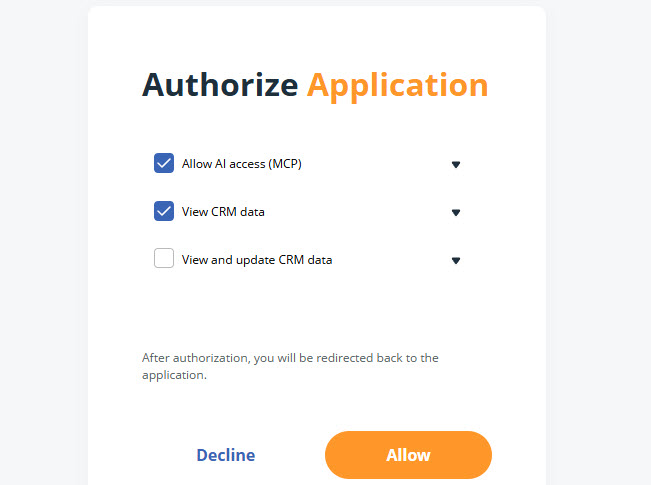
Sign in to OnePageCRM → select the access level → click Allow.
Allow AI access (MCP) (required)
View CRM data (required)
View and update CRM data (optional)
5
The connector is now active going forward in chats.