Quick Buttons
Quick Buttons are one-click buttons that appear next to a contact's phone number and email address. Use them to manage phone numbers or email addresses with one click.
In this article:
| Quick Buttons on a phone number |
| Quick Buttons on an email |
| Configure Quick Buttons |
Quick Buttons on a phone number
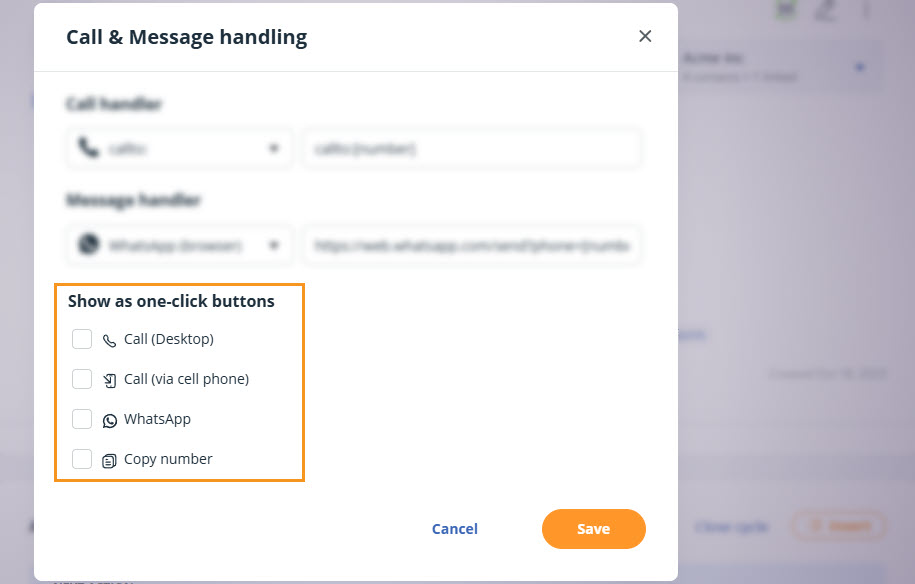
Up to four Quick Buttons can show next to a phone number:
- Call (Desktop) - starts calls using your selected desktop calling app
- Call (via cell phone) - sends a push notification to your phone via the OnePageCRM mobile app. More on Call via cell phone.
- Send WhatsApp message - opens a WhatsApp chat with the contact in Desktop or Web, depending on your setup.
- Copy number - copies the phone number to your clipboard.
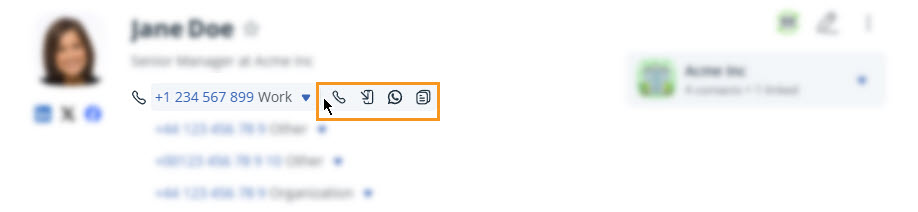
💡 Hover over the phone number and select the quick button.
Quick Buttons on an email
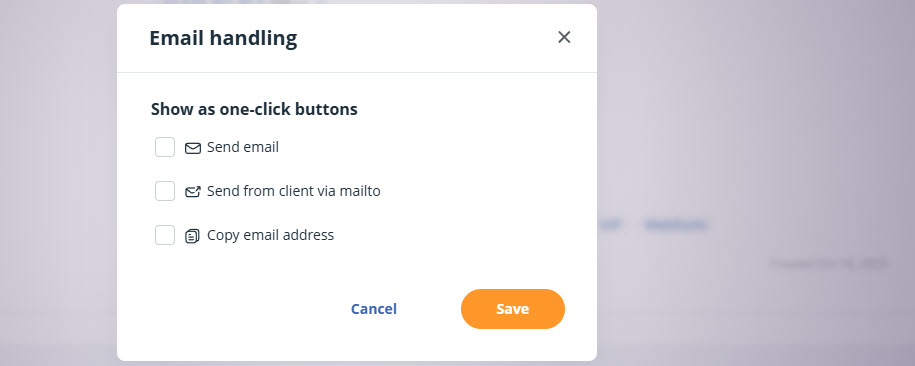
Jump up to Article's Overview ⮝Up to three Quick Buttons can show next to an email:
- Send email - opens the OnePageCRM email editor with the address pre-filled.
- Send from client via mailto - opens your default email client with the address pre-filled.
- Copy email address - copies the email address to your clipboard.
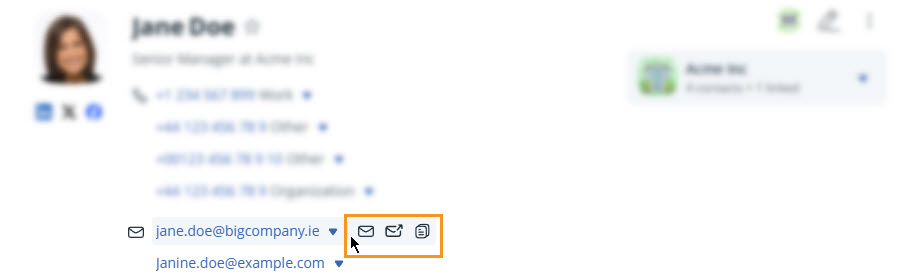
💡 Hover over the email address and select the quick button.
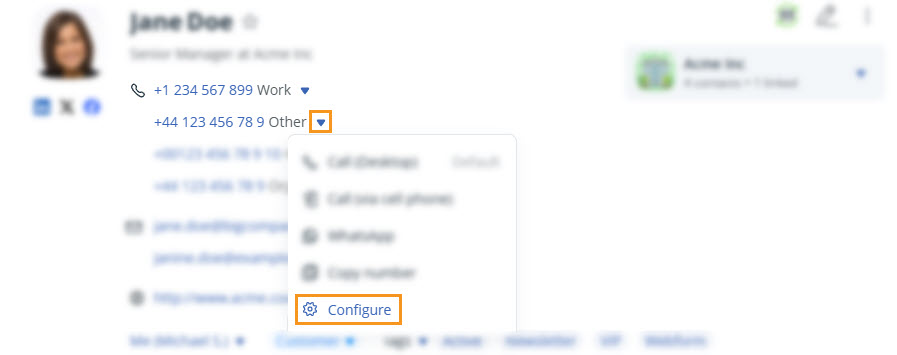
Configure Quick Buttons
Jump up to Article's Overview ⮝