
Pipeline Configuration (Weighted vs. Unweighted) & Pipeline Values
You can customize your Pipeline View further by selecting the third dropdown.
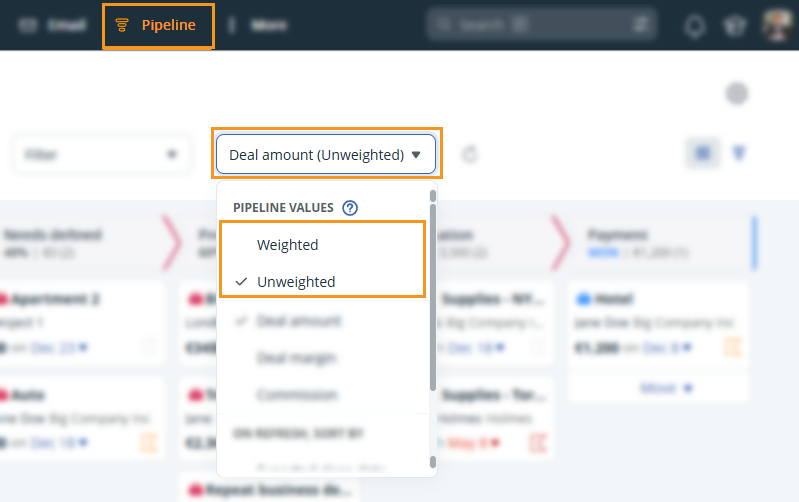
Choose between Pipeline Values:
- Weighted - A deal amount of $1,000 at 50% is displayed as $500 in the pipeline.
- Unweighted - The Deal amount is displayed in full and not as a percentage of its deal stage.
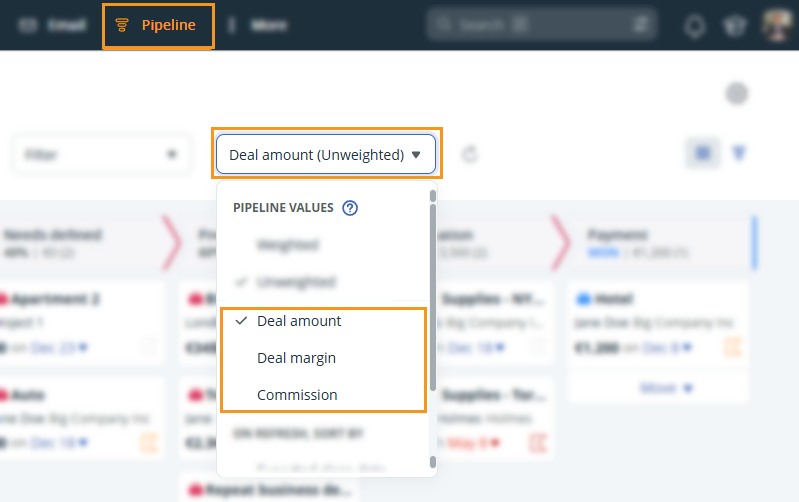
Decide how the Deal amount is displayed:
- Deal amount - Displays the value from the Amount field.
- Deal margin - Displays the difference between the selling price and production costs.
- Commission - Displays the amount the salesperson would earn.
💡 If you are using recurring items in your deals, check out how you can save Deal Items.
💡 You can set a default commission for your deals.
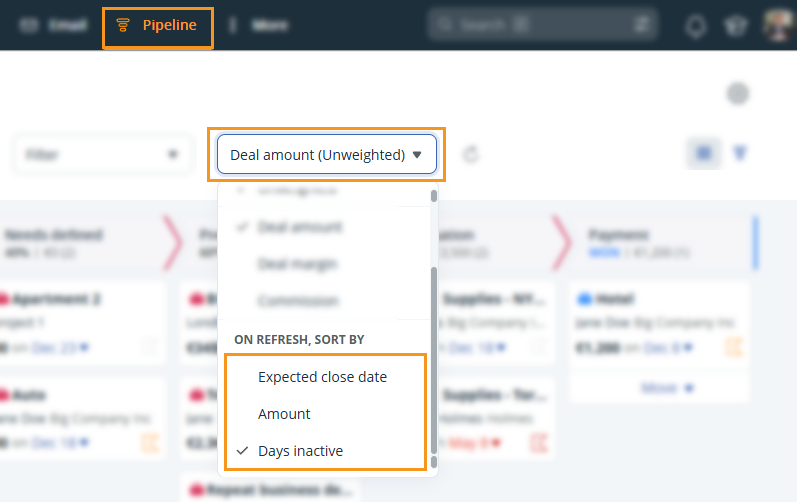
Select an option to sort your Pipeline Page when it is refreshed:
- Expected close date - Displays deals from earliest close date to latest.
- Amount - Displays deals from highest to lowest amount assigned to the deal.
- Days inactive (Business or Max plan only) - Displays deals from longest inactivity to shortest.
💡 Set a default expected close date for your deals.