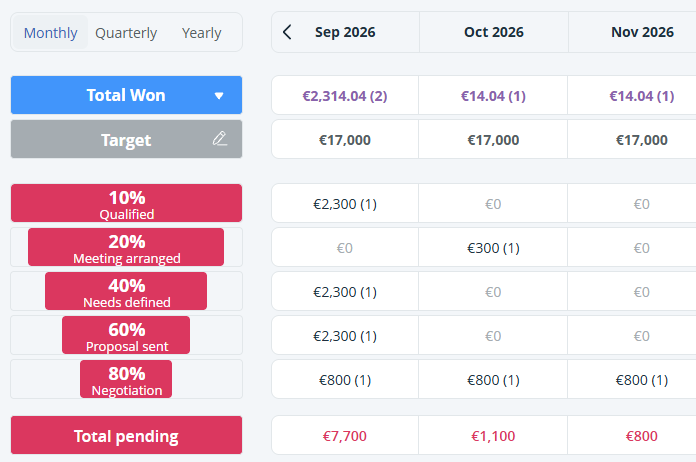
Pipeline Page overview
OnePageCRM has two types of pipelines:
- Sales Pipelines help you manage your sales cycle from initial contact to closing.
- Delivery Pipelines work as a light project management tool for won deals (available only on Business or Max plan).
The Pipeline page holds details about Deals created or imported to the CRM.
In this article:
| Pipeline types |
| Pipeline views |
Pipeline types
In OnePageCRM, you have the option of 2 types of Pipelines you can create:
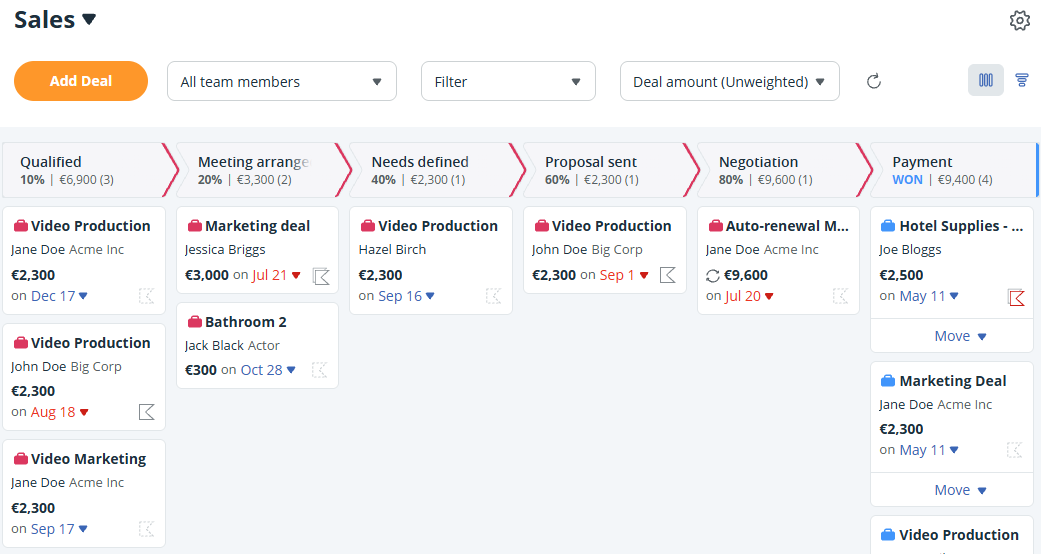
Sales Pipeline
The Sales Pipeline gives you an overview and easy access to any of your Pending and Won deals.
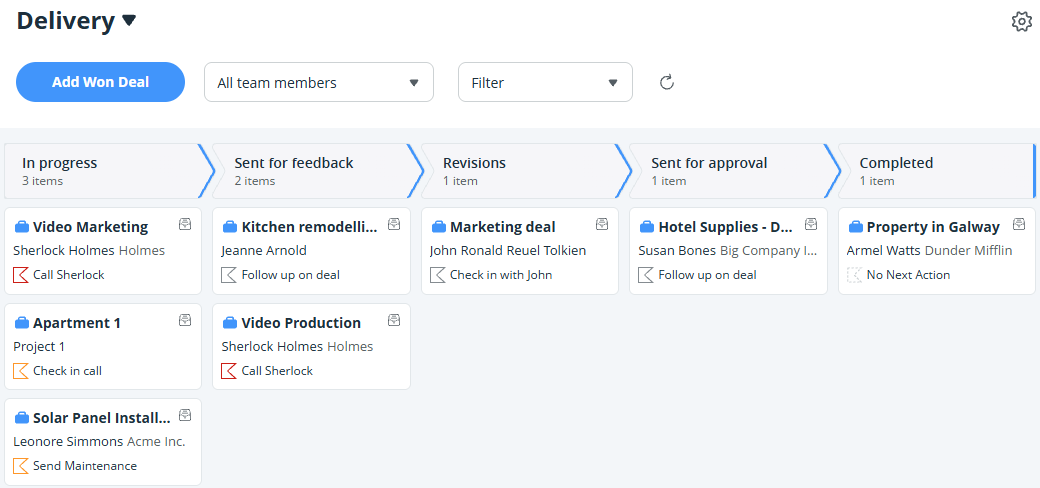
Delivery Pipeline
The Delivery Pipeline allows you to track your deals after they have been marked as Won in the CRM. You can then move them from your Sales Pipeline to the Delivery Pipeline.
Pipeline views
Jump up to Article's Overview ⮝There are 2 Pipeline Views available for you to choose from.
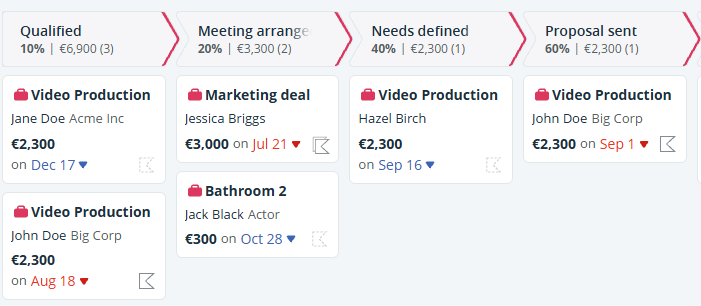
Kanban View
The Kanban View is available for Sales and Delivery Pipelines. It gives you a clear overview of your Deals and lets you:
- Drag and drop Deals between stages.
- Mark Deals as Won or Lost in Sales Pipelines.
- Click a Deal to view its details.
Forecasting View
The Forecast View is available for Sales Pipelines and allows you to:
- Set targets for users.
- Track performance by month, quarter, or year.
- View expected revenue from pending Deals.