How to edit pipeline targets

Set sales targets by default for each month or customize them for a specific month.


  • Only the Account owner or an Admin can edit the target for all users.
  • Users can only edit their own target if given permission from the Account owner/Admin.

1
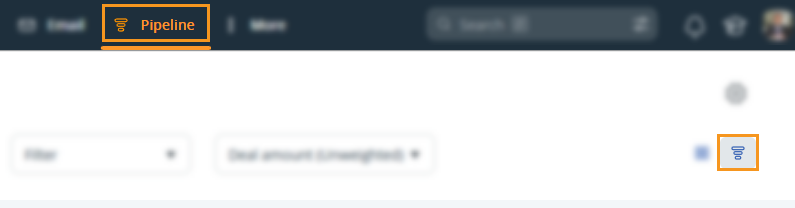
Go to the Pipeline page → select the Forecast view icon (top right-hand side).

Pipeline page | Forecast view icon (top right hand corner)


2
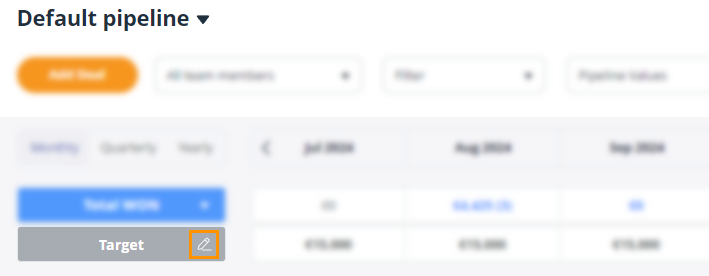
Select the pencil icon beside Target.

Pipeline Page l Forecast View l select the pencil icon next to Target.


3
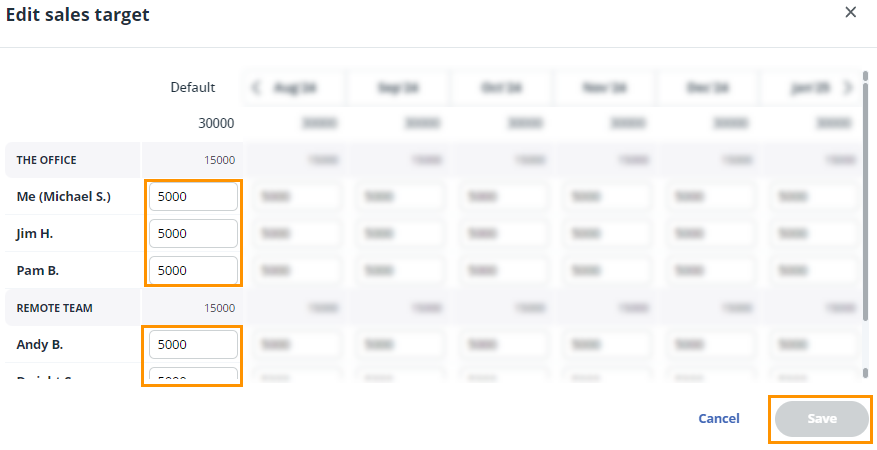
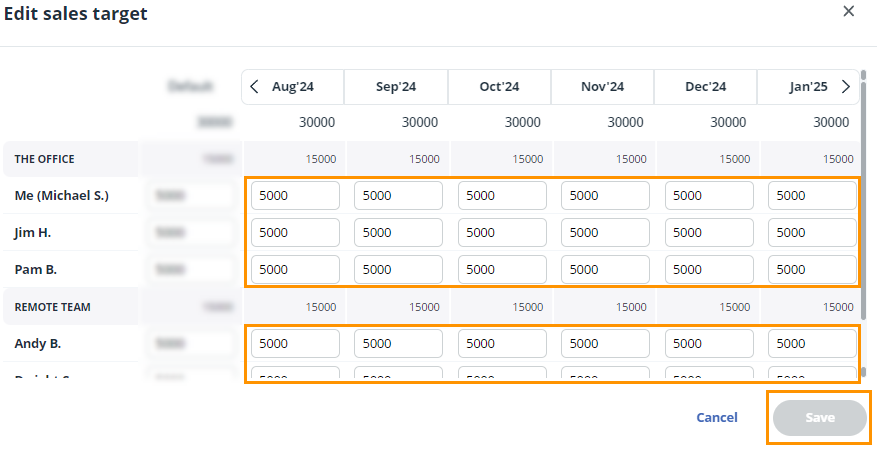
There are 2 options to set targets for your Team → once they have been customized, click Save.
  • In the first box set a default monthly target for each member of your team.
  • Enter a default monthly Sales target in the first box.

    💡 Setting a default target value changes the target value for all months into the future except those that you have already manually set.


  • Enter individual monthly targets for you or your team in the boxes under the specific month.
  • Enter a individual monthly Sales target.

    Did this answer your question? Thanks for the feedback There was a problem submitting your feedback. Please try again later.

    Still need help? Contact Us Contact Us