
Focused User
Focused User is available on the Business and Max plans. Upgrade here.
A Focused User can only view contacts assigned to them. Unlike the Account Owner, Administrators, and Users, Focused Users can only view and edit the contacts owned by them.
In this article:
| Create a Focused User | Permissions of a Focused User |
| Privileges of a Focused User | Focused User Limitations |
Create a Focused User
💡 Optional: Change the Access level of an existing user to a Focused User.

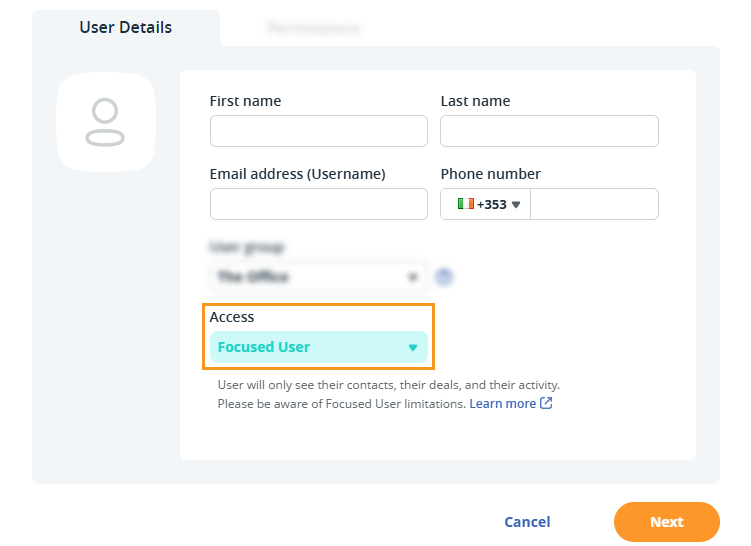
💡 Focused Users only see their assigned contacts.
💡 Admins, the Account Owner, and other Users can view all contacts.
Permissions of a Focused User
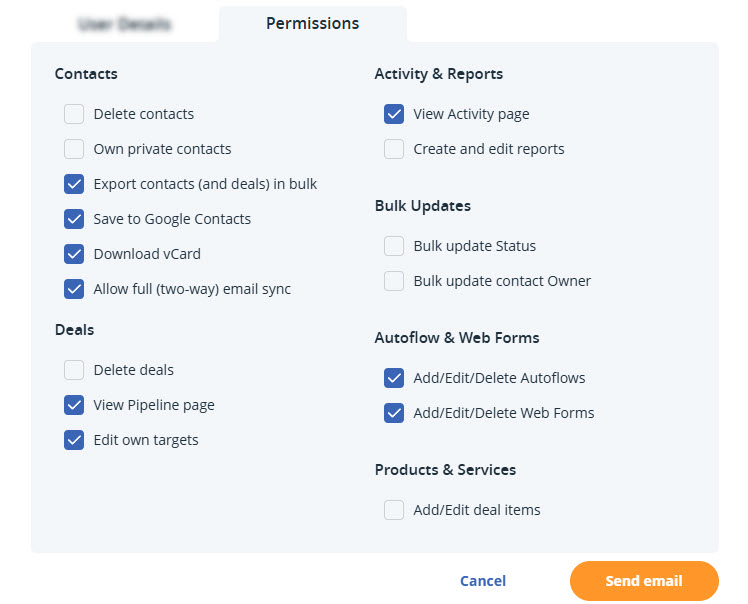
Jump up to Article's Overview ⮝Focused Users can be given different permissions as needed. Available permissions include:
|
Contacts
Deals
|
Activity & Reporting
Bulk Updates
Autoflow & Web Forms
Products & Services
|
💡 These permissions are limited to contacts that are owned by them/assigned to them.
Privileges of a Focused User
Jump up to Article's Overview ⮝- Add, view, edit, and delete contacts they own.
- Add and view deals for contacts they own.
- View the Organization page and activity for contacts they own.
- Import new contacts.
- Run filters and tag their contacts.
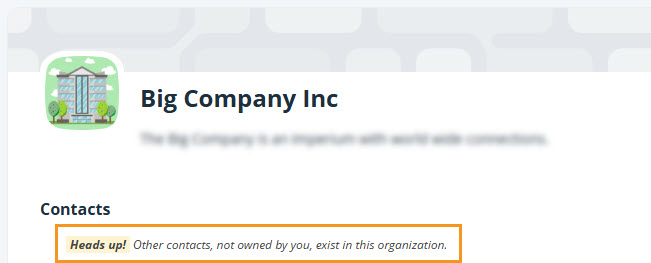
- Get notified when an organization has other contacts not assigned to them.
💡 If the Focused User creates a duplicate contact with an existing email address:
- The original contact owner will be notified by email.
- Any emails sent to that email address will be logged under all contacts in the account.
💡 Filters will only include contacts they own.
Focused User Limitations
Jump up to Article's Overview ⮝Focused Users can only access contacts assigned to them. This limits the contacts they can view and manage in the CRM.
- If a contact is reassigned to another user, the Focused User loses access, and their actions are reassigned to the new owner.
- Next Actions can only be assigned to Focused Users if they own the contacts.
- Other users cannot mention or notify Focused Users about contacts they don’t own.