
Connect SMTP/IMAP email accounts
Email sync for SMTP/IMAP is available on the Business and Max plans. Upgrade here.
Keep all communication organized in one place. Connect your email account via SMTP/IMAP to OnePageCRM's Email sync and manage messages with contacts directly in the CRM.
In this article:
| SMTP vs. IMAP | Email provider settings |
| Before you start | App passwords |
| Connect your SMTP/IMAP email account | Troubleshooting |
SMTP vs. IMAP
SMTP (Simple Mail Transfer Protocol) - Send emails from your email client to the recipient’s server. It handles outgoing messages but does not manage your inbox.
IMAP (Internet Message Access Protocol) - Receives and manages emails. It keeps everything synced across all your devices.
Together, SMTP and IMAP allow you to send, receive, and manage your emails in applications like OnePageCRM.
Before you start
You'll need four things from your email provider:
- Incoming (IMAP) server address — e.g.,
imap.example.com - IMAP port — usually
993 - Outgoing (SMTP) server address — e.g.,
smtp.example.com - SMTP port — usually
587or465
Your username is usually your full email address, and your password is your email password. If that doesn’t work, check the App passwords section below.
Find your provider's settings in the table below. If it's not listed, check your provider's help documentation or contact their support.
Connect your SMTP/IMAP email account
Jump up to Article's Overview ⮝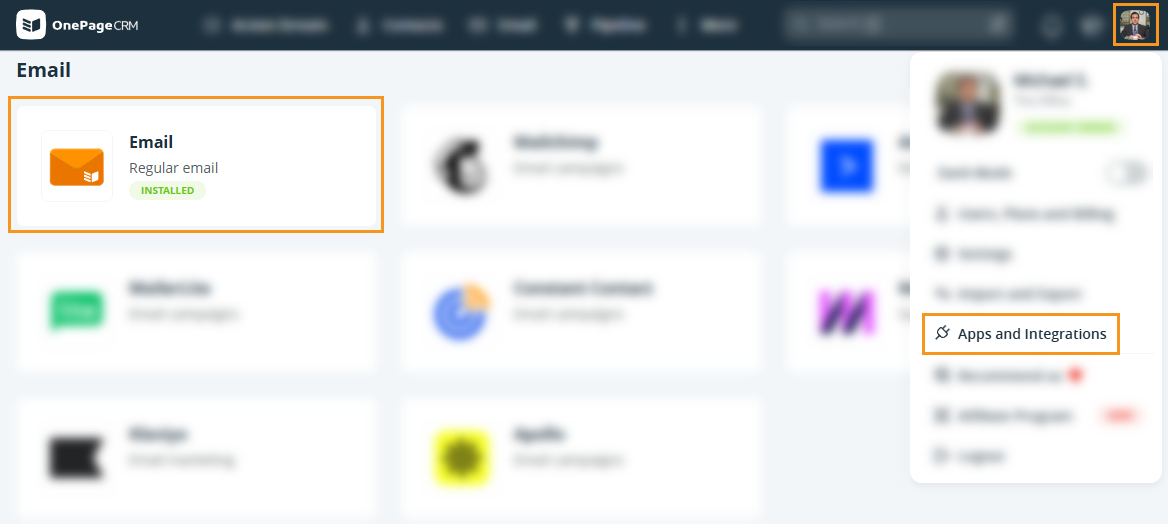


💡 Port must be one of: 25, 465, 587, 2525
💡 If you selected the Send and Save manually option, the connection is now complete.
💡 Should you encounter an error message when trying to connect, please contact Support.
💡 Some SMTP providers do not save emails sent from the CRM to their Sent folder.

💡 Port must be one of: 143, 993
💡 Should you encounter an error message when trying to connect, please contact Support.
💡 Adjust which folders are synced from your email account by selecting the Gear icon.

Email provider settings
Use this table to find the server details for your provider.
| Provider | IMAP server | IMAP port | SMTP server | SMTP port | Notes |
|---|---|---|---|---|---|
| Gmail | imap.gmail.com |
993 | smtp.gmail.com |
587 | Must enable IMAP in Gmail settings first. Requires an app password if 2-Step Verification is on. |
| Outlook / Hotmail / Live | outlook.office365.com |
993 | smtp-mail.outlook.com |
587 | Must enable IMAP in Outlook settings first. |
| Yahoo Mail | imap.mail.yahoo.com |
993 | smtp.mail.yahoo.com |
465 or 587 | Requires an app password — your regular Yahoo password won't work. |
| iCloud Mail | imap.mail.me.com |
993 | smtp.mail.me.com |
587 | Username is your iCloud address (e.g., name@icloud.com ). Requires an app password. |
| Zoho Mail (free) | imap.zoho.com |
993 | smtp.zoho.com |
465 or 587 | Use your Zoho account password. If 2FA is on, use an app password. |
| Zoho Mail (paid / custom domain) | imappro.zoho.com |
993 | smtppro.zoho.com |
465 or 587 | Use your full email address as the username. |
| Fastmail | imap.fastmail.com |
993 | smtp.fastmail.com |
465 | Requires an app password — your regular Fastmail password won't work. Do not enable Secure Password Authentication (SPA). |
| IONOS | imap.ionos.com |
993 | smtp.ionos.com |
465 or 587 | Use SSL/TLS on port 465, or STARTTLS on port 587. Requires TLS 1.2 or higher. |
| Register365 | imap.reg365.net |
993 | smtp.reg365.net |
465 | Authenticated SMTP must be active on your mailbox. Enable it in your Register365 control panel before connecting. |
💡 All providers use SSL/TLS encryption.
💡 Use your full email address as your username unless otherwise noted.
If your provider isn't listed in this table, check your provider's help center for "IMAP settings" or "email client setup."
You're looking for:
- An incoming mail server (IMAP) address and port
- An outgoing mail server (SMTP) address and port
💡 Most providers list these in a support article. If not, contact their support.
App passwords
Some providers block third-party apps from using your main account password as a security measure. If that's the case, you'll need to generate an app password. This is a separate password created specifically for OnePageCRM.
This applies to: Gmail (with 2-Step Verification), Yahoo Mail, iCloud Mail, and Fastmail.
How to generate one:
- Gmail: Google account security → 2-Step Verification → App passwords
- Yahoo: Yahoo Account security → Manage app passwords
- iCloud: appleid.apple.com → Sign-In and Security → App-Specific Passwords
- Fastmail: Fastmail Settings → Privacy & Security → App passwords
💡 Use the generated password when connecting your account in OnePageCRM.
Troubleshooting
If you see an error when connecting:
- Double-check the server address and port against the table above
- Make sure IMAP is enabled in your email account (Gmail and Outlook)
- Confirm you're using an app password if your provider requires one
- See the Email sync errors article for specific error messages